P6 SyncSheet in XER Toolkit
With XER Toolkit you can use the Progress Update feature to collect updates directly from project stakeholders. Using P6 SyncSheet, XER Toolkit exports a ready-to-use spreadsheet that can be imported straight into Primavera P6.
This makes progress reporting consistent across teams, standardises the update process, and removes the admin burden of manual data entry. The progress reporting is handled in XER Toolkit, and now the program update is taken care of too.
Please note: P6 SyncSheet is available exclusively to our Enterprise users.
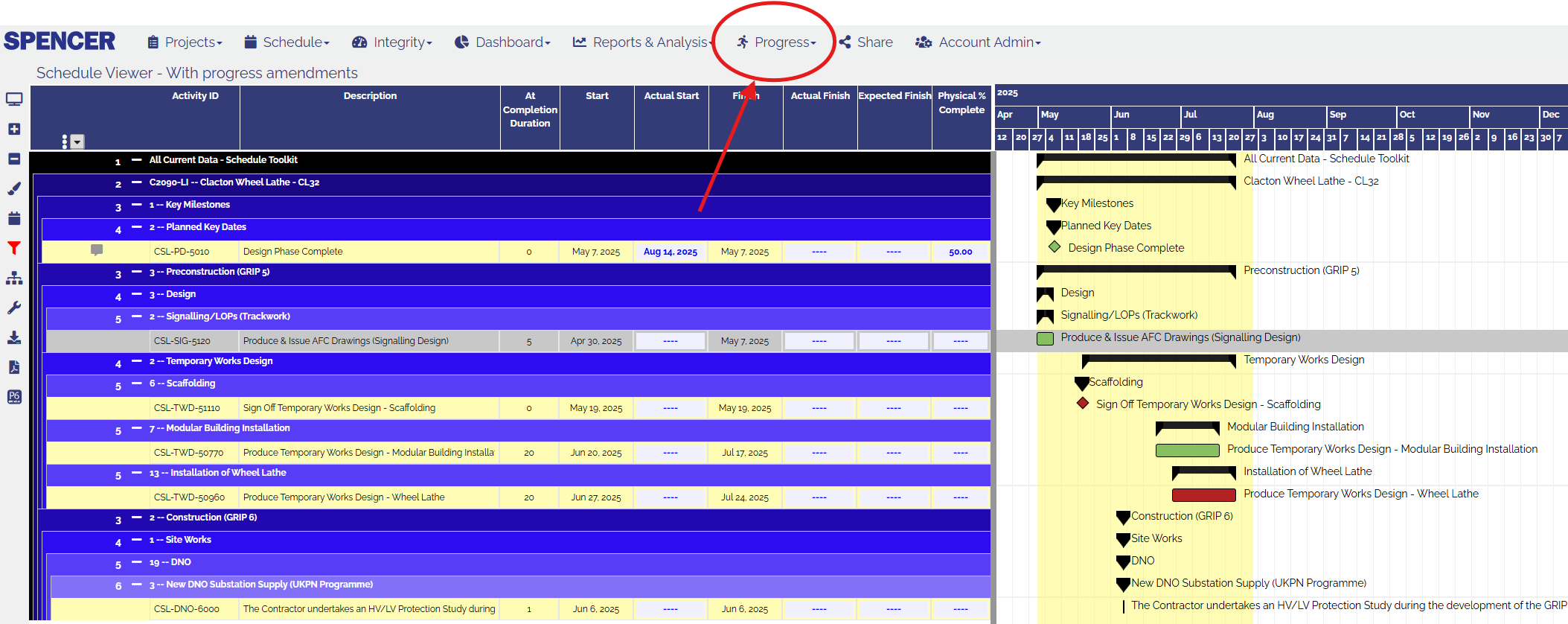
With XER Toolkit you can use the Progress Update feature to collect updates directly from project stakeholders. Simply go to the Progress Update tool in XER Toolkit, where you can filter the view and apply a curtain to focus only on the activities that require updating.
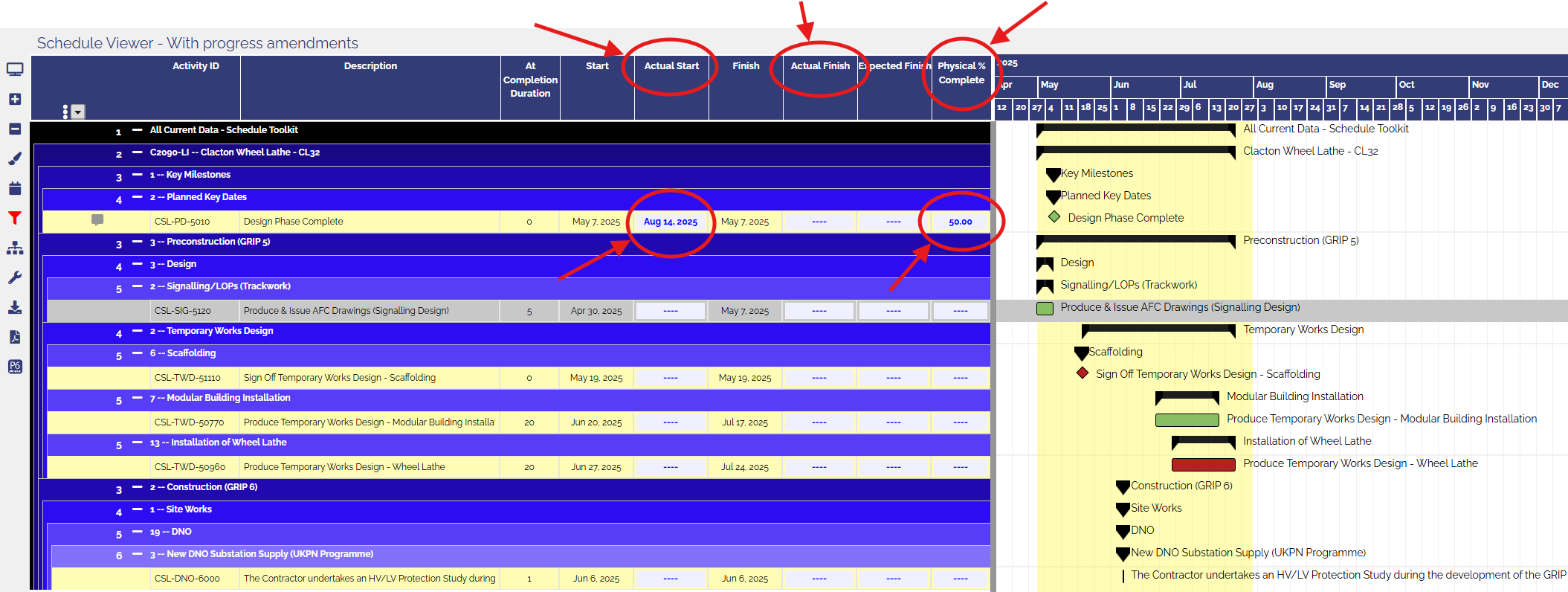
The tool allows users to input Actual Start, Actual Finish, and Physical % Complete critical yet simple criteria for keeping project progress accurate and consistent.
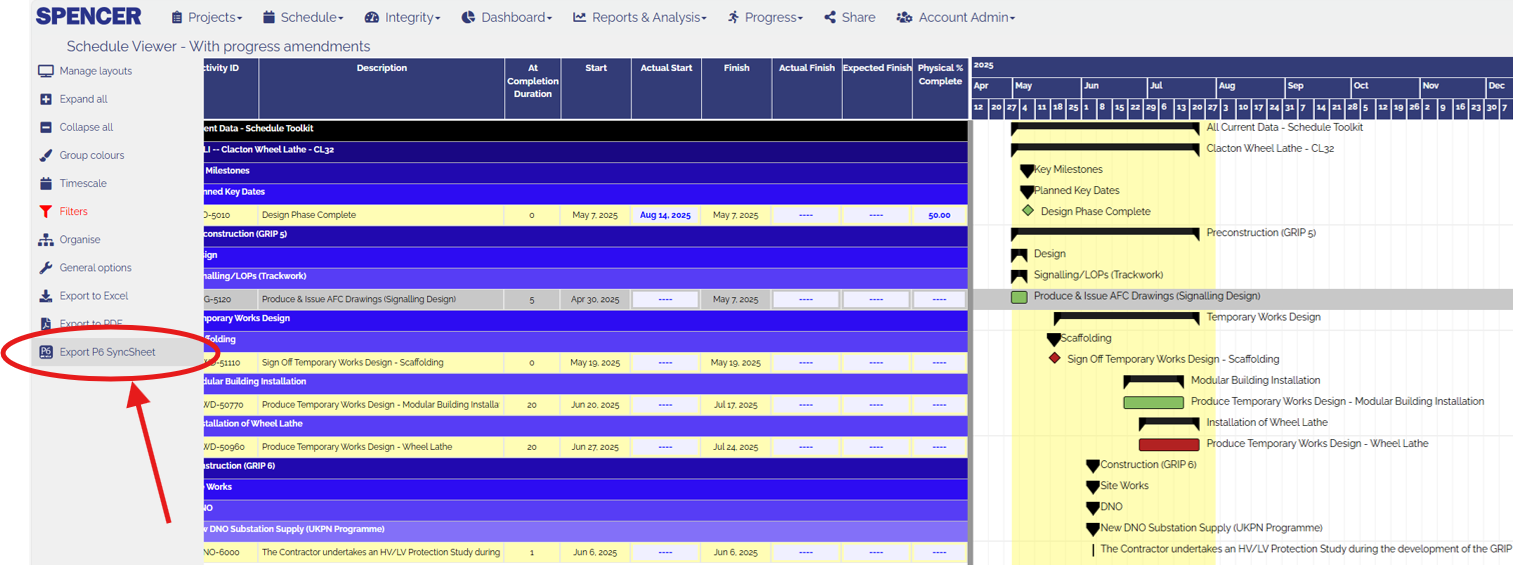
Once the progress data has been added to the schedule, click on the P6 SyncSheet button. XER Toolkit will generate a P6-formatted spreadsheet that can be imported directly into your Primavera P6 schedule, saving countless hours of manual updating and removing translation errors.
Now simply import the spreadsheet directly into your Primavera P6 program. For the step-by-step process, please refer to Oracle’s official instructions: